
Installation Instructions
Support Center
Installation instructions for every CVF kit live on that kit's own product page. Here is how to find yours.
Where To Find Your Installation Instructions
Product specific installation instructions are located directly on each CVF product page. Because instructions vary between systems, engine families and accessory configurations, we keep them attached to the exact kit they belong to rather than in one general document.
Type the part number from your order confirmation or invoice into the Find Your Product box at the bottom of this page, or into the search bar at the top of any page on cvfracing.com. Either one takes you straight to the product listing for your kit.
Make sure you are viewing the same kit and accessory configuration you ordered. Instructions differ between mounting styles, belt counts and accessory combinations.
Underneath the product you will see a row of tabs: Description, Additional Information, Customer Images and Installation Instructions. Click Installation Instructions. That tab lists every instruction manual that applies to your kit, and you can download them or open them as a PDF straight from there.
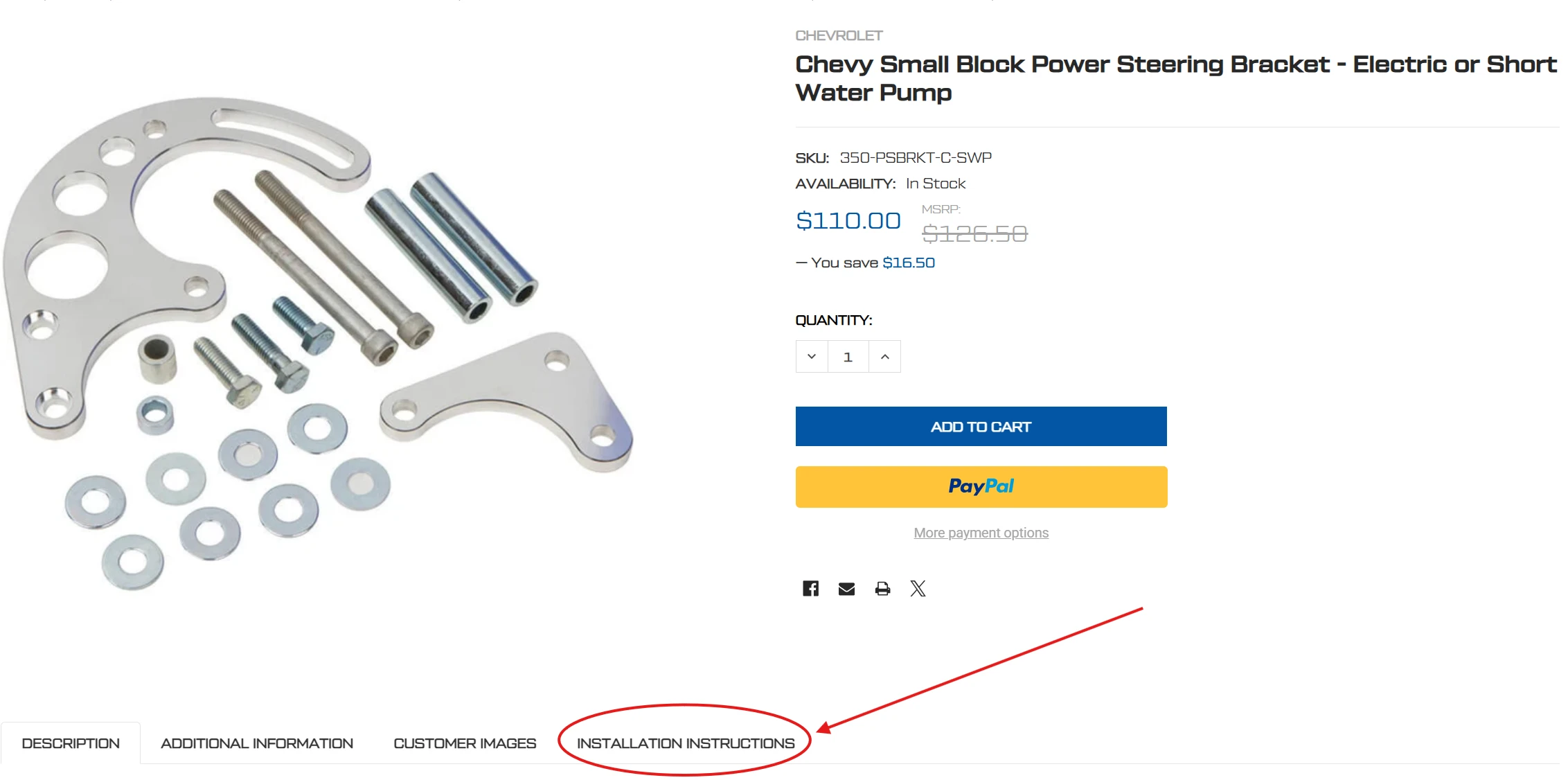
The Installation Instructions tab sits below the product, to the right of Customer Images.
Tech Tip
If you are not certain which configuration you have, your order number will tell us. Email it to contact support and we will point you at the exact instruction set for your kit.
Find your product
Enter the part number from your order confirmation or invoice to jump straight to your product page.
Still need help? Our tech support team can get you pointed in the right direction.
Contact Support